Stations Media1.0
Publisher Description
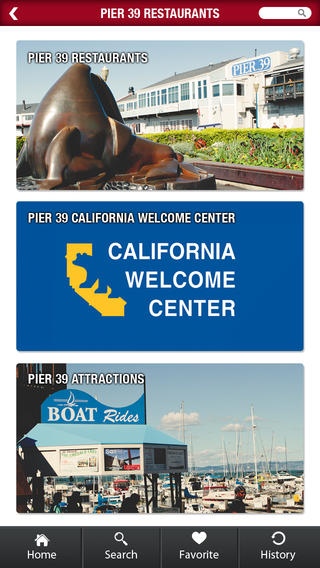
Who is Stations Media?
Stations Media is a company dedicated to giving your business a jump-start in digital and mobile advertising.
Benefits:
Centralized advertising solution for tourists, locals and visitors
Video Overview
Video Offers
Graphic Art Offers
Offer Admin Management Tool
Social Media Exposure
Reducing Printing Costs
Increasing Revenue
Specification:
Promoting Special Offers
History and Most Favorite Items
15 sec Video Overview
Mobile Information and Location Based
Categories and centralized business directory
Tags and search
Social Media Integration
Info about future events and specials
Offer Management
Stations Media is also a center of cutting-edge marketing and will be showcasing the best of the best on big HD screens and on mobile devices, making it a center of marketing technology for food business, hospitality, attractions, entertainment, retails alike. Through the kiosk and mobile app, we are offering a list of top restaurants, hotels, retails and attractions in California. Additionally, both the app and the kiosk can broadcast brief overview videos informing visitors of offers, special events, promotions, etc.
For hotels, restaurant or any business, the Stations Media mobile app puts your destination directly in people s hands.
It works. So make it work for you.
Requires iOS 6.0 or later. Compatible with iPhone, iPad, and iPod touch.
About Stations Media
The company that develops Stations Media is Stations Media Inc. The latest version released by its developer is 1.0.
To install Stations Media on your iOS device, just click the green Continue To App button above to start the installation process. The app is listed on our website since 2014-04-25 and was downloaded 2 times. We have already checked if the download link is safe, however for your own protection we recommend that you scan the downloaded app with your antivirus. Your antivirus may detect the Stations Media as malware if the download link is broken.
How to install Stations Media on your iOS device:
- Click on the Continue To App button on our website. This will redirect you to the App Store.
- Once the Stations Media is shown in the iTunes listing of your iOS device, you can start its download and installation. Tap on the GET button to the right of the app to start downloading it.
- If you are not logged-in the iOS appstore app, you'll be prompted for your your Apple ID and/or password.
- After Stations Media is downloaded, you'll see an INSTALL button to the right. Tap on it to start the actual installation of the iOS app.
- Once installation is finished you can tap on the OPEN button to start it. Its icon will also be added to your device home screen.
